





Multi-display presentations

Every screen in the room, in one hand.

Drag any content onto any display from one console, and it’s live: LED walls, displays and touch screens, local and remote.
Discover more

Use cases

Control Room
Live map, CCTV, drones, dashcams and body cams on one operations wall, all from the same console.
Automotive & Retail
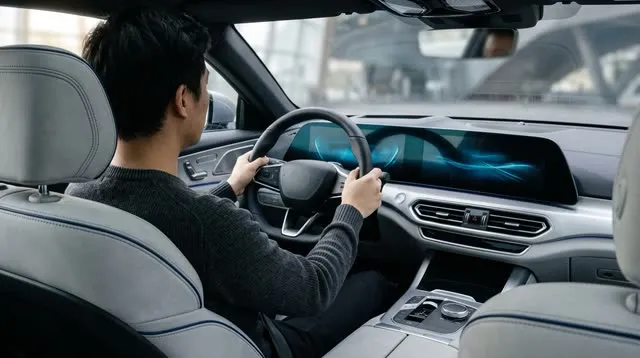
A private showroom where the customer configures the car on the wall and sees it life size.
Town Hall & Smart Education
A lecture hall run from one tablet: the lesson, the lab PC and the remote students on the same wall.
Real Estate
Video, photos, 3D and a video call on one wall, to walk a client through a property miles away.
Engineering
Engine training from the hangar to every connected classroom, with the manual beside the live picture.
Remote Maintenance
A remote site brought back from the control room with Remote Agent, without the trip.
Oil & Gas
A desert pipeline and an offshore platform on one operations wall: the map, the cameras and the station controls through Remote Agent.
What is Mago Stage?

Your presentation becomes a show. Every screen in the room plays its part.

Mago Stage turns the displays in a room into one stage, and puts it in your hands. Video, documents, 3D models, web apps, cameras and live workstations go on any screen with a swipe, and your audience, in the room or remote, follows every move.
  • One console, every display.
    LED walls, displays and touch screens, driven from a tablet, a touch table or the screens themselves.
  • Anything you can show.
    Video, PDF, photos, 3D models, web apps, cameras, whiteboards and live workstations, side by side.
  • Local and remote, together.
    The built-in videocall puts remote guests on the wall, next to your content.
  • Made for real spaces.
    Meeting rooms, showrooms, briefing centers, control rooms, events, hospitality and training rooms.
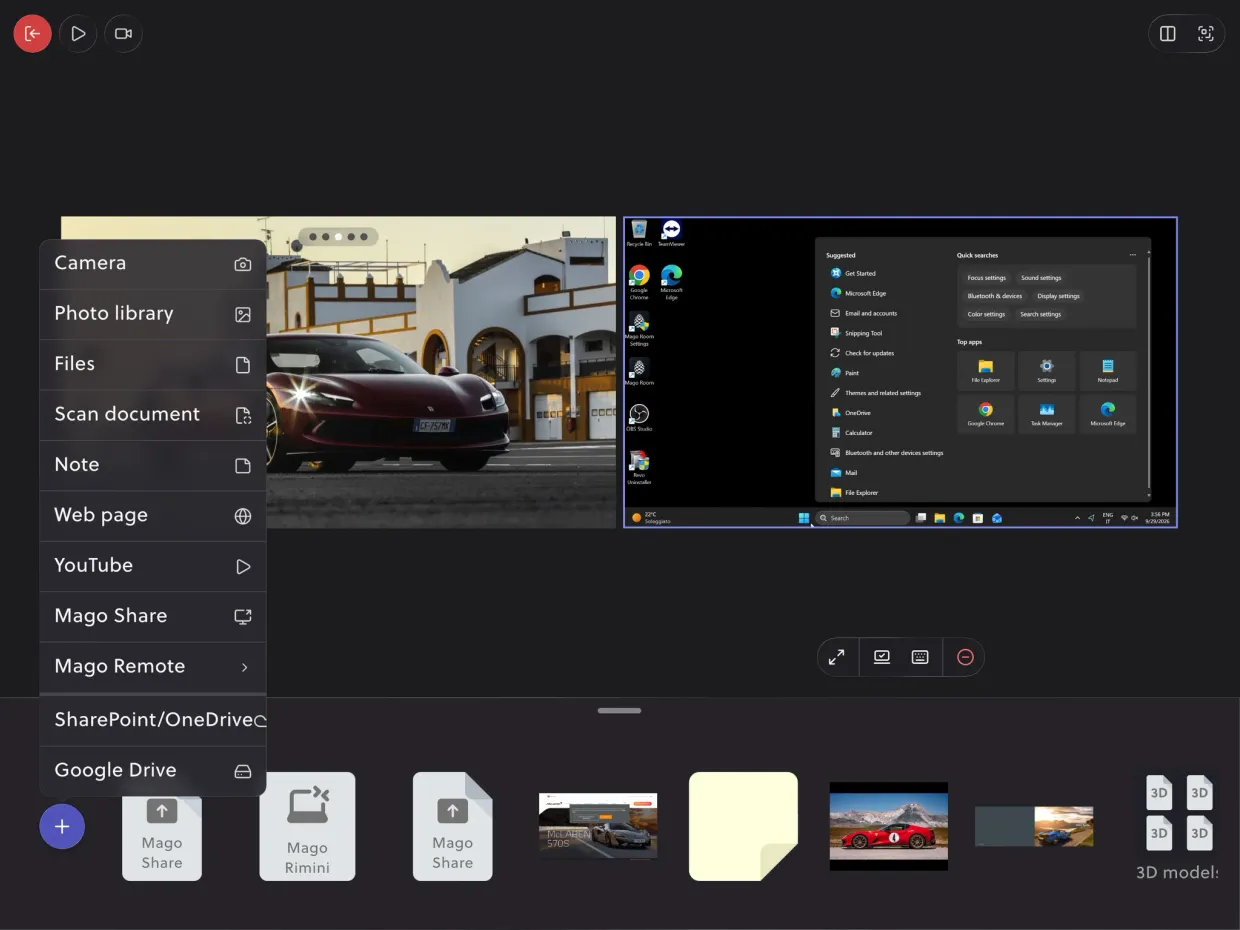
The Mago Stage console on an iPad: two live sources on the stage, a photo and a Windows workstation, the menu of what can be added (camera, photo library, files, notes, web pages, YouTube, Mago Share, cloud drives) and the content library along the bottom.
The console, on the tablet in the room.
The console

Swipe to move. Tap to play.

The console shows your room as it really is: every display, what is playing on it, and your library underneath. Drag a source onto a screen and it’s live. Play, pause, jump ahead or stop it from its thumbnail, without ever touching the wall.
  • Runs on a tablet, a dedicated touch table, or right on the touch screens in showroom mode
  • Live previews: what you see on the console is what is on the walls
  • Play, pause, seek and stop any video from its thumbnail
  • Join a screen from your phone in one tap, and share straight from it
Supported content

If you can show it, Mago Stage puts it on a screen.

Drop it on the console, drag it to a display. Every source keeps its own controls on the wall: play a video, turn a 3D model, scroll a page, write on the whiteboard.
Images
Photos and graphics, full screen, in a grid or as a slideshow.
Video
Local files with play, pause, seek and stop.
Online video
YouTube, Vimeo and streaming links, played live.
3D objects (GLB)
Turn, zoom and annotate your models in front of everyone.
Document scanner
Capture a paper document with a camera and show it at once.
PDF
Catalogs, decks and datasheets, page by page.
Screen sharing
A laptop or a phone screen, wirelessly, on any display.
Whiteboard
A live board to sketch on, from the console or the screen.
RTSP / RTMP camera
IP and streaming cameras, live in a tile.
NDI
Any NDI source on your video network.
Web application
Live web pages and apps: dashboards, maps, configurators.
Live workstations
Any PC, Mac or Android device through the Remote Agent.
Remote Agent →
Feeds from every source
Any live feed becomes a tile on the wall, next to the map, the documents and the other sources, and the operator moves it like any other content.
Drones Live Streaming*
Smart Glasses Live Stream*
HDMI input
RTMP / RTSP
NDI

* Through the live stream output of the device or of its app.
Layouts

Snap it into the grid. Or draw the layout you need.

Every display has its own canvas. Drop content and it snaps into a clean grid of 16:9 tiles, from one to many. Need something else? Merge cells into custom areas, like a tall portrait column for a live map or a dashboard next to your video.
  • Snap grid
    One, two, four tiles and more: always 16:9, always aligned, never stretched.
  • Custom layouts
    Merge cells into areas of any shape, landscape or portrait.
  • Portrait areas
    The right shape for live maps, dashboards, feeds and timelines.
  • Nothing stops playing
    Change the layout mid-presentation: every tile keeps running.
Multi-screen

Mirror every screen, or give each its own show.

Send the same content to every display, or give each screen a layout of its own. Then decide how they play: synchronized, so a video runs at the same moment on every wall, or independent, so each screen keeps its own pace.
  • Mirror.
    The same content on every display in the room.
  • Independent layouts.
    A different layout on each screen, from the same console.
  • Synchronized playback.
    Videos stay in step across displays.
  • Independent playback.
    Each screen plays, pauses and seeks on its own.
Layout
Playback
Mago Stage Remote Agent

Any workstation, live on the wall. Even the legacy apps.

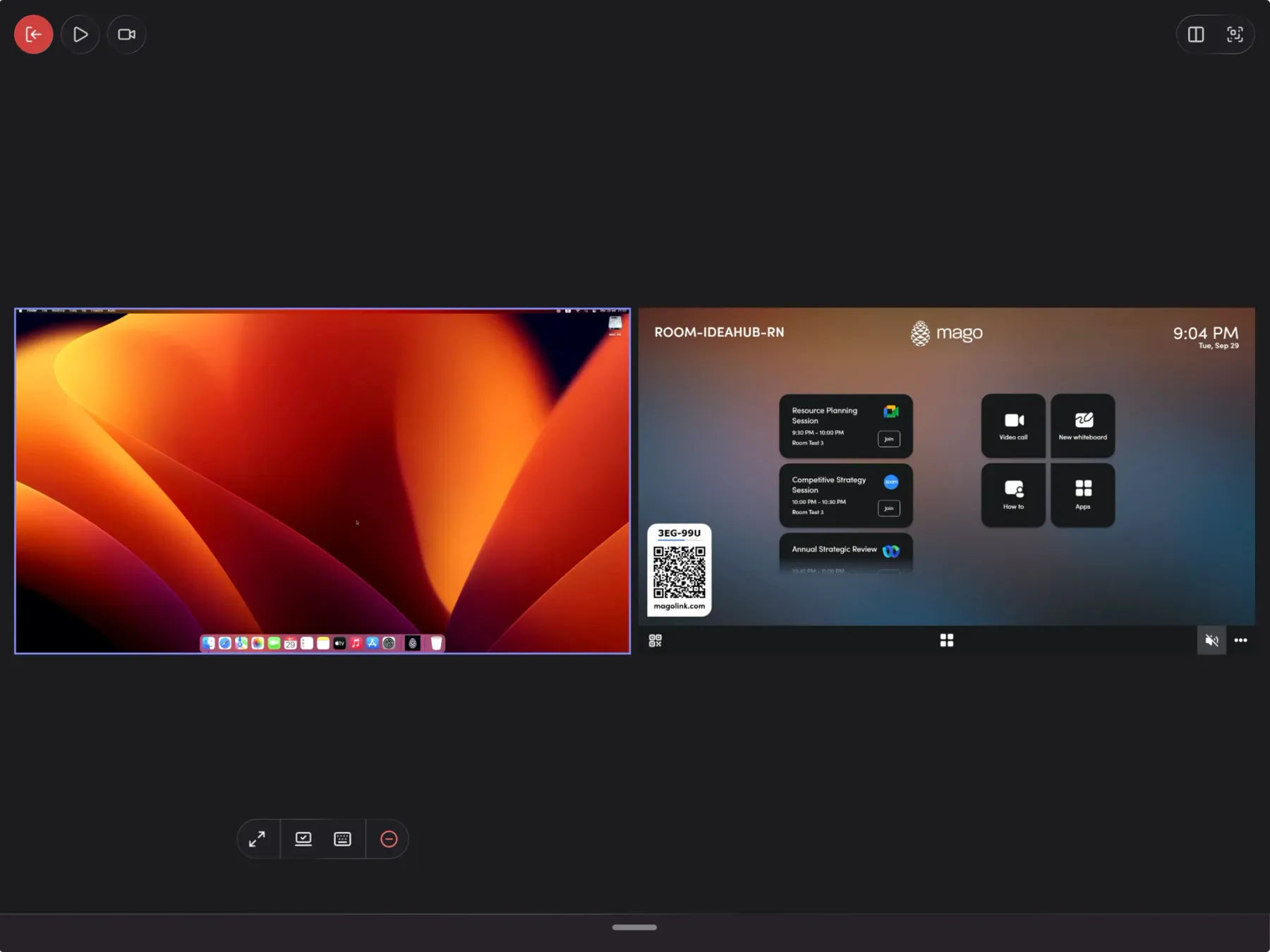
Install the Remote Agent on a workstation and it joins your library, securely. Drag it onto the canvas and it’s live: the CAD station, the ERP, the control software nobody dares to move. And you don’t just show it, you drive it, with remote KVM and touch and mouse emulation, from the console or right on the screen.
  • Secure integration between the agent and Mago Stage
  • Drag & drop a workstation onto any display, like any other content
  • Show any application, including legacy software that runs on one machine only
  • Remote KVM: keyboard, mouse and touch emulation

Remote Agent available for

Windows 11macOSAndroid OS
The Mago Stage console: a remote workstation running live on the stage, with the KVM controls underneath, next to the room home screen showing the day’s meetings and the join code.
A remote workstation on the stage, driven from the console. Here a Mac: the agent also runs on Windows 11 and Android.

More than slides. An experience people take part in.

A presentation on Mago Stage is something your audience can touch, walk into and join from anywhere.
Showroom mode

Let visitors explore on their own.

Turn any touch display into a self-service showroom. Visitors browse what you prepared and tap to play, right on the screen: media players, 3D configurators, augmented and virtual reality.
Magic annotation

Circle any detail by hand. It turns into a perfect circle.

Draw over video, photos and 3D models while you talk. Freehand marks snap into clean shapes, so every highlight looks designed, not scribbled.
Mixed reality

Put the product in the room, at full size.

Bring the 3D model into the space, walk around it, open the door and step inside. The configurator stops being a picture and becomes a visit.
Built-in videocall

Local and remote, on the same wall.

Remote guests join through the built-in video conferencing and appear on the displays next to your content. Swipe the call from screen to screen like anything else: everyone gets the same experience.
Videocall
Built for the spaces where you present

Showrooms, briefing centers, control rooms. And every room in between.

Showrooms and retail
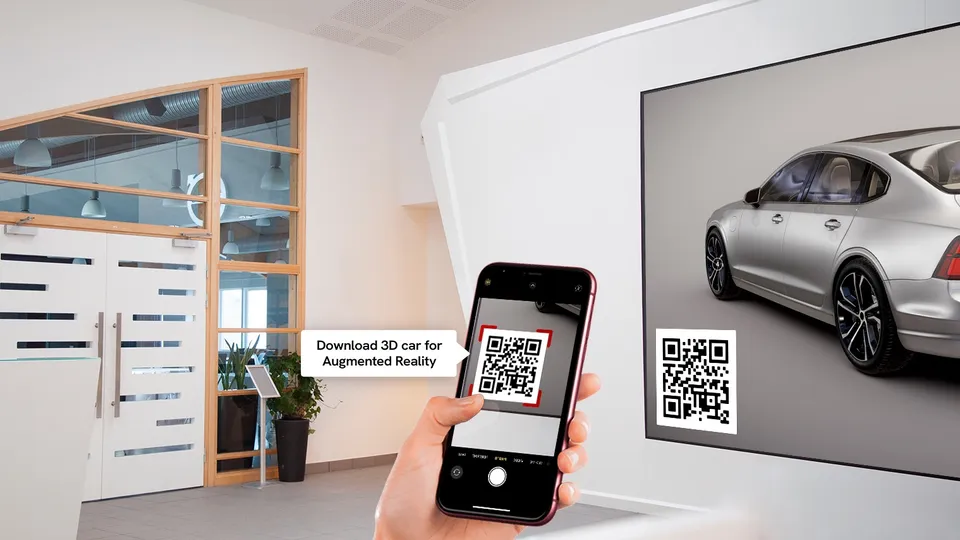
Supercharge your digital signage. Customers connect to a screen from their phone in one tap, explore on their own, and take 3D models, videos and brochures home by scanning a code, while you collect their email.
A showroom with a display showing Mago Stage and a phone scanning a QR code
Executive briefing centers
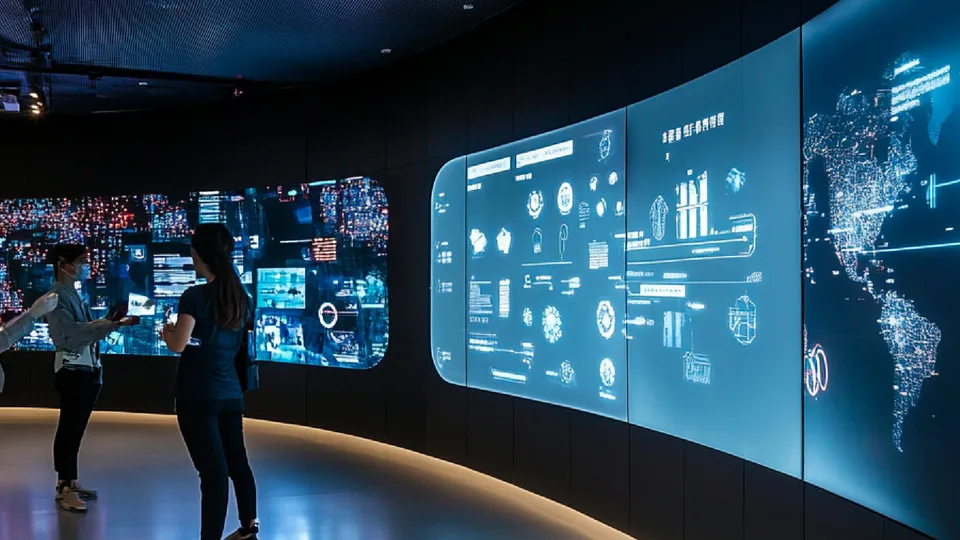
Visitors don’t watch a slide deck, they take part in it. The experience becomes far more memorable than any PowerPoint.
A dark briefing room with two big displays showing data in dashboards
Control rooms
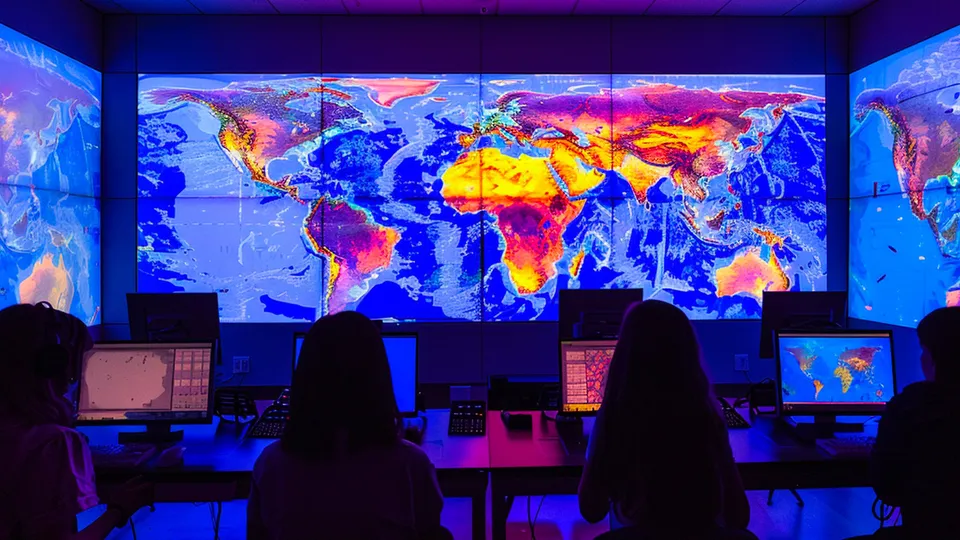
Charts, maps, video feeds and live workstations side by side, for a complete view of operations and a team that sees the same picture.
A control room with three big displays showing a map
Meeting roomsEventsHospitalityTraining roomsShared spaces
Mago Stage Receiver

The displays you already have become Mago Stage screens.

Install the Receiver on the player or the PC behind a display, or run it right on the screen. Every display with a Receiver shows up on the console, ready for content.
  • LED walls, displays and touch screens, from one console
  • Each player features a built-in server: a room runs on its own
Windows 11
PCs and media players
Android OS
Smart displays and players
macOS
Mac computers
Samsung VXT
Samsung smart signage
Samsung

Samsung

Are you a Samsung customer?

Mago Stage is available as a VXT App and is fully integrated into Samsung VXT CMS, for a pure Samsung experience. No external player needed.

Talk to us about Samsung
  • Inside VXT. The app is published in the Samsung VXT CMS and managed from there, alongside the rest of your signage.
  • Nothing to add behind the screen. No media player, no PC, no extra box: the display is the player.
  • Tizen 6.5 and later. Every Samsung display running Tizen v6.5 or newer is supported.
  • LED, natively. Samsung LED displays and The Wall are supported natively.
Secure and scalable

From one room to the whole company, on the infrastructure you choose.

Mago Stage runs where your content is allowed to live.
Built-in server
Each player features a built-in server: a room works on its own, with nothing else to install.
On your premises
Scale to a multi-server infrastructure hosted on your own premises, or in your private cloud.
Mago Stage Cloud
Or let us run it for you, and manage every room from anywhere.

Four editions. One stage.

From a single room to every display in the company, on premises or in the cloud. Tell us about your spaces and we will help you choose.

Mago Stage

Basic
Windows 11, self-hosted. Works with no internet at all, which is what a trade show needs: there connectivity is a cost and a risk.
Price on request
Quoted on your setup
  • What’s included
  • Runs on one Windows 11 PC, an i3 is enough
  • Up to 3 displays, connected to that PC
  • Console on iPad, Android tablet, Windows PC or Mac
  • Images: PNG, JPEG and SVG
  • Video: MP4 files and YouTube
  • Synchronized browser and Draw with note
  • Remote Agents for Win, Mac, Android: $99 / agent / year
  • Google Drive, OneDrive and SharePoint sync
  • RTSP and RTMP cameras, and NDI

Mago Stage

Pro
Everything in Basic, plus a local server: the room stops being one PC with three displays and becomes a network of receivers.
Price on request
Quoted on your setup
  • Everything in Basic, and
  • Local server on a Windows PC
  • Intel i7 and 16 GB of RAM suggested, with a dedicated GPU
  • Up to 30 Mago Stage Receivers on the same LAN
  • Receivers on Samsung VXT and Android OS
  • Receivers on Chrome, Windows and Mac

Mago Stage

Ultra
Everything in Pro, on your own infrastructure: the server is no longer a PC in the room but a machine you run, on premises or in your cloud.
Price on request
Quoted on your setup
  • Everything in Pro, and
  • Self-hosted servers architecture, on-prem or own-cloud
  • Or in your cloud, on your own tenant
  • Custom limits: displays, receivers and sources are agreed, not capped
  • Regional multi-server: one deployment per area, all under one company

Mago Stage

Cloud
Everything in Ultra, hosted by us on Azure. Nothing to buy, nothing to run: the server is ours.
€799
/ receiver / yearBilled annually
  • Everything in Ultra, and
  • Hosted on Mago’s own Azure instance
  • 2 GB of storage for every Stage user
  • The first user is included, each additional one is €199 a year
  • No server to buy and no other cost
  • A trial is available, arranged in a first appointment

Basic, Pro and Ultra are quoted on your setup, and on Pro and Ultra the Remote Agents come with a volume discount. The trial runs on the Cloud edition, and starts from the same appointment.

FrequentlyAskedQuestions

Become a superpresenter.

Interested in Mago Stage? Book a demo or ask for a free trial, and see it on your own displays.

Every screen in the room, in one hand.