Holiday Lobby Screens: Seasonal Digital Signage That Switches On by Itself

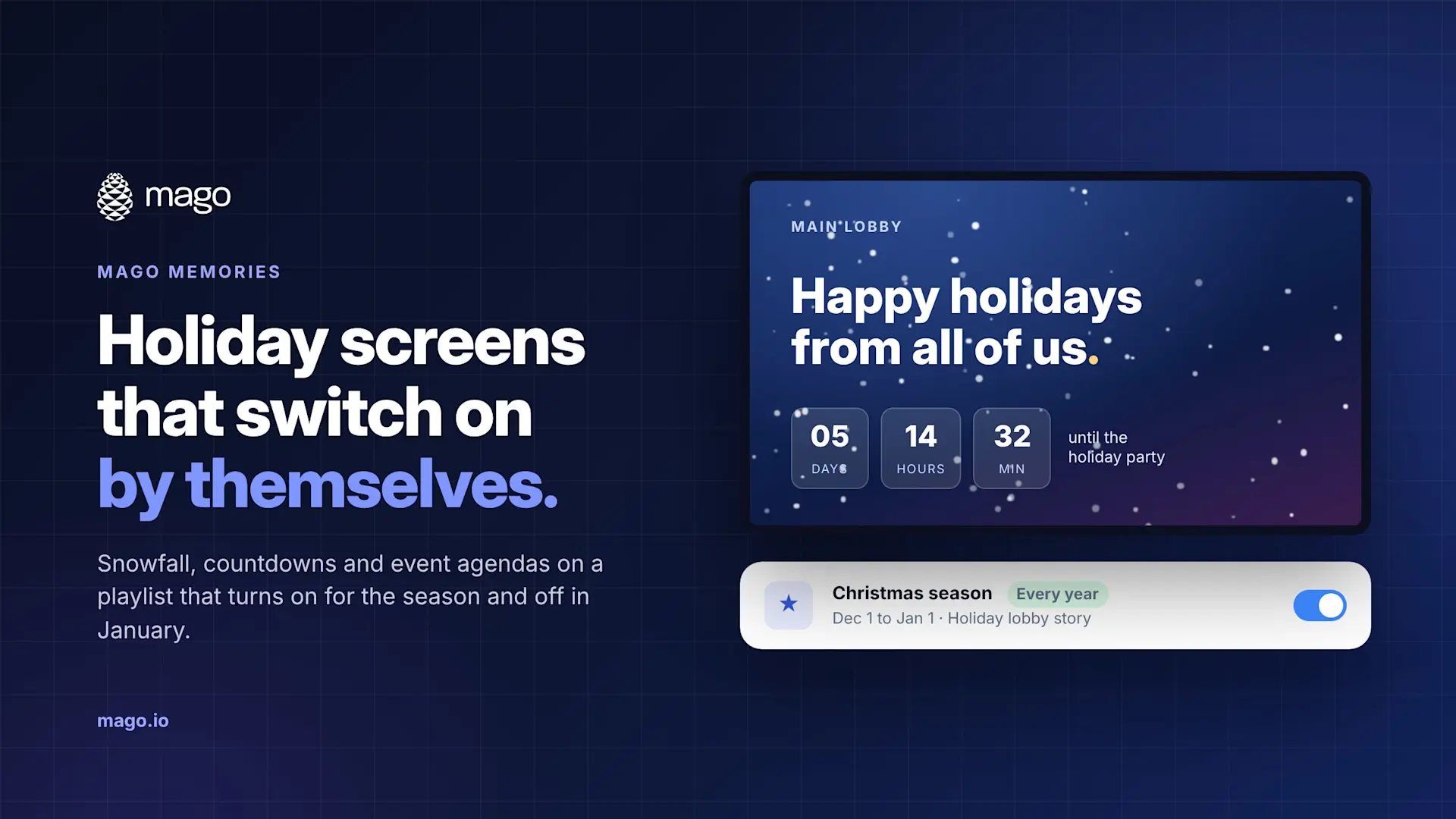
Holiday lobby screens work best when you set them up once and let a schedule do the rest. In Mago Memories you save a seasonal version of your story as a template, add an effect such as snowfall, and create a playlist rule that plays it every year from the date you choose. On January 2 the screens go back to normal without anyone touching them.
Most lobby screens get a holiday makeover the same way every year: someone remembers in mid-December, edits the slides by hand, and forgets to change them back until February. A schedule fixes both problems.
What can a holiday lobby screen show?
- Seasonal effects: snowfall, twinkling stars, a reindeer sleigh with stars, or confetti for New Year, drawn over your story or signage.
- A countdown: to the holiday party, the office closure or midnight on December 31, from the built-in templates.
- Event agendas: the holiday party, toy drive and closure dates, pulled live from an Outlook (Microsoft 365) or Google Calendar.
- Welcome and announcement slides: ready-made templates in your brand colours, edited in the browser.
- Photos from the season: last year's party, the team volunteering, the decorated office.
- Weather and a clock: current weather and a world clock for teams in several cities.
How do I schedule holiday content?
Playlists decide which story plays when. Each rule plays a story between two dates, optionally every year, between set hours and on chosen weekdays. The first rule that matches wins, and a default story plays when no rule matches.
A typical setup has three parts:
- Default story: your normal lobby content.
- Christmas season rule: your holiday template from early December to January 1, every year.
- Evenings rule: a calmer version after hours, if you want one.
Before the season starts, check the schedule for any date and time to see what will play and why. Displays follow the playlist on their own clock, even if the network drops.
How do I reuse it next year?
In the editor, Save as template keeps a copy of your holiday story. Next November, start a new story from that template, swap the dates and photos, and publish. The playlist rule set to repeat every year is already waiting.
Can the screen change through the day?
Yes. Time-of-day looks adjust brightness and tint for dawn, day, afternoon and night. A warm evening look suits a lobby in December, when it gets dark before people leave.
What if I need holiday content today?
Start from one of the ready-made industry sequences or the built-in templates and switch on snowfall. With your organisation's Claude key connected, Create with AI can also build a whole signage sequence from a short description of the place and the message, such as "corporate lobby, holiday party on December 18, office closed December 24 to January 1", in under a minute.
What does it take to run?
Any screen with a modern browser on a PC, mini PC, Android device, ChromeOS device, iPad, Raspberry Pi or a recent signage player such as BrightSign. Every publish reaches the displays within about 15 seconds. The Cloud plan is $9 per display per month, with a 15-day free trial.
Frequently asked questions
Will the holiday content switch off by itself?
Yes. When the playlist rule's end date passes, the displays go back to the default story on their own.
Can different sites run different holiday content?
Yes. Each display or group of displays can follow its own playlist.
Does it work on interactive touchscreens too?
Yes. Effects work on interactive stories and on passive signage.
What happens if the network goes down on the night of the party?
The display keeps playing what it stored, and the playlist keeps switching on the display's own clock.
Want your lobby ready before the party? Start a free trial or book a demo. New to the product? Start with what Mago Memories is.