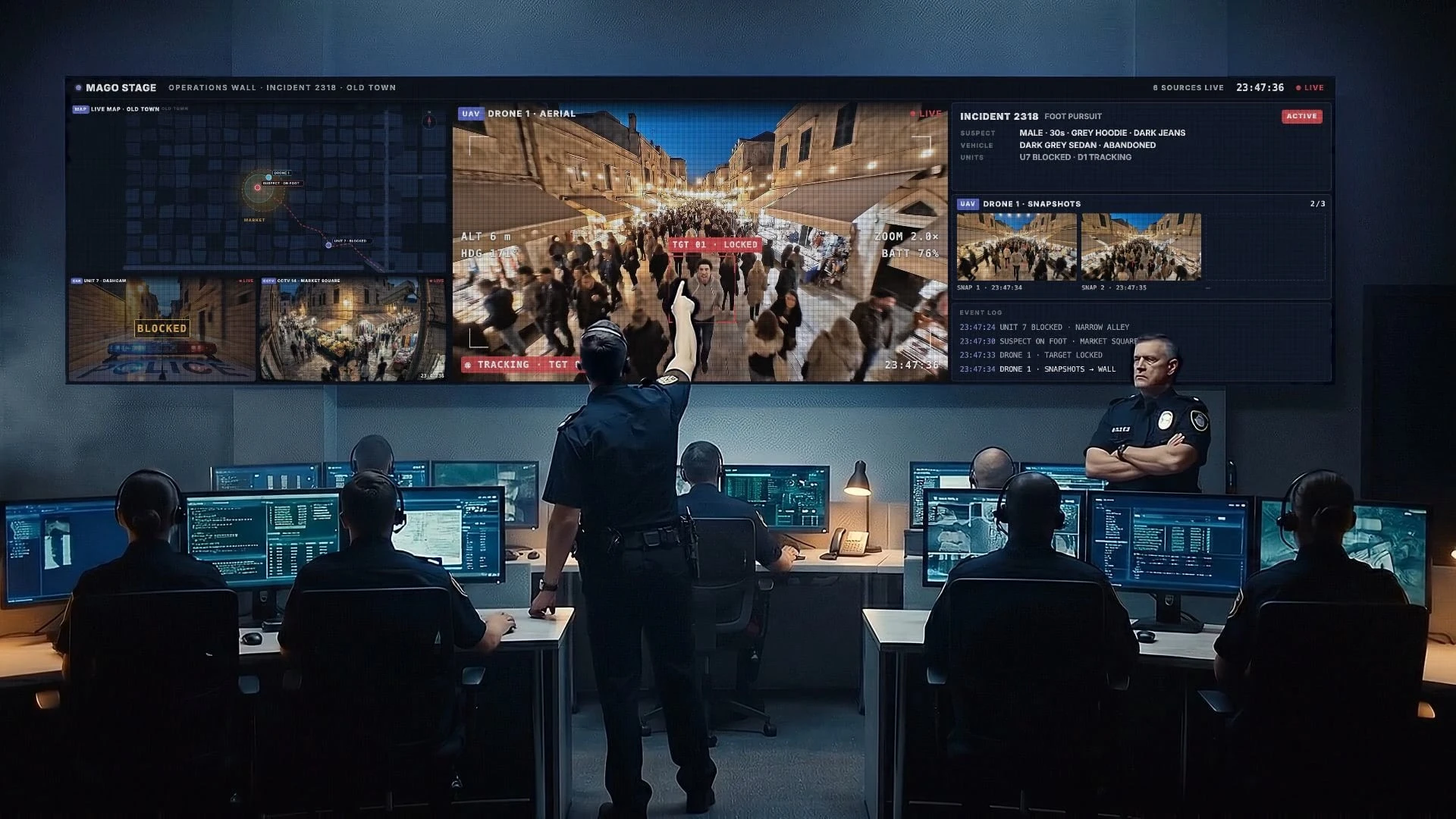
Control Room Video Wall Software: Maps, Cameras, Dashboards

Control room video wall software puts maps, camera feeds, dashboards and workstations on one shared wall and lets operators rearrange them live. Mago Stage takes RTSP, RTMP, NDI and HDMI feeds, web apps and remote workstations, then arranges them in snap-grid or custom layouts from a single console.
A control room works when everyone in it sees the same picture. That picture usually comes from several systems that were never designed to share a screen: cameras, a map, trend dashboards and the control software itself. Mago Stage is the layer that brings them onto one wall.
What does control room video wall software do?
It receives content from many sources, places each one in a tile, and lets an operator move, resize and swap those tiles without stopping what is playing. It is the presentation layer for an operations wall. It does not replace your video management system or your control software. It puts their output where the whole team can see it.
What can Mago Stage put on the wall?
| Source | How it connects | Typical use |
|---|---|---|
| CCTV and IP cameras | RTSP or RTMP | Site and perimeter cameras in a tile |
| Drones and smart glasses | The live stream output of the device or its app | Field crews seen from the control room |
| Video networks | NDI | Any NDI source on your network |
| Local equipment | HDMI input | Capture devices and local video |
| Dashboards and maps | Web app | Live maps, trend charts, status pages |
| Control software and legacy tools | Remote Agent | Station controls, engineering and ERP software |
How do you lay out an operations wall?
Every display has its own canvas. Content snaps into a grid of 16:9 tiles, or you merge cells into custom areas. A common control room layout uses a tall portrait area for the map, with the camera feeds around it. You can change the layout mid-shift and every tile keeps running. With several walls, you can mirror one view everywhere or give each wall its own layout, and videos can play in step or independently.
Can operators control the machines they see?
Yes. The Remote Agent puts a whole workstation on the wall, and remote KVM lets you drive it with keyboard, mouse and touch emulation from the console or right on the screen. In a remote maintenance scenario, that means bringing a distant site back to the control room: site cameras beside the map, control of the remote PC, and a restart from the control room as if you were on site.
What does this look like in oil and gas?
The Oil and Gas use case puts a desert pipeline and an offshore platform on one wall: the network map, the site camera and the trends side by side, plus station controls and the crew's drone tablet through the Remote Agent. Field crew and experts join through the built-in videocall and appear on the same wall.
Is it secure enough for operations?
Mago Stage runs where your content is allowed to live. Each player has a built-in server, so a room can work on its own. You can scale to servers on your own premises or in your private cloud. The Basic edition works with no internet at all. The admin portal adds user roles, such as owner, admin, signage-only and read-only, plus an audit log of logins and logouts.
Frequently asked questions
Can Mago Stage show CCTV feeds?
Yes, over RTSP or RTMP, and over NDI or HDMI. Each feed becomes a tile that operators move like any other content.
Can it show drone video?
Yes, through the live stream output of the drone or its app.
Does it replace our video management system?
No. It displays what your existing systems produce and gives the team one shared wall.
Can remote experts join the wall?
Yes. The built-in videocall puts them next to your content.
Planning an operations wall? Book a demo and we will walk through your sources and layout. To see what the Remote Agent can do, read how to show legacy software on a video wall.