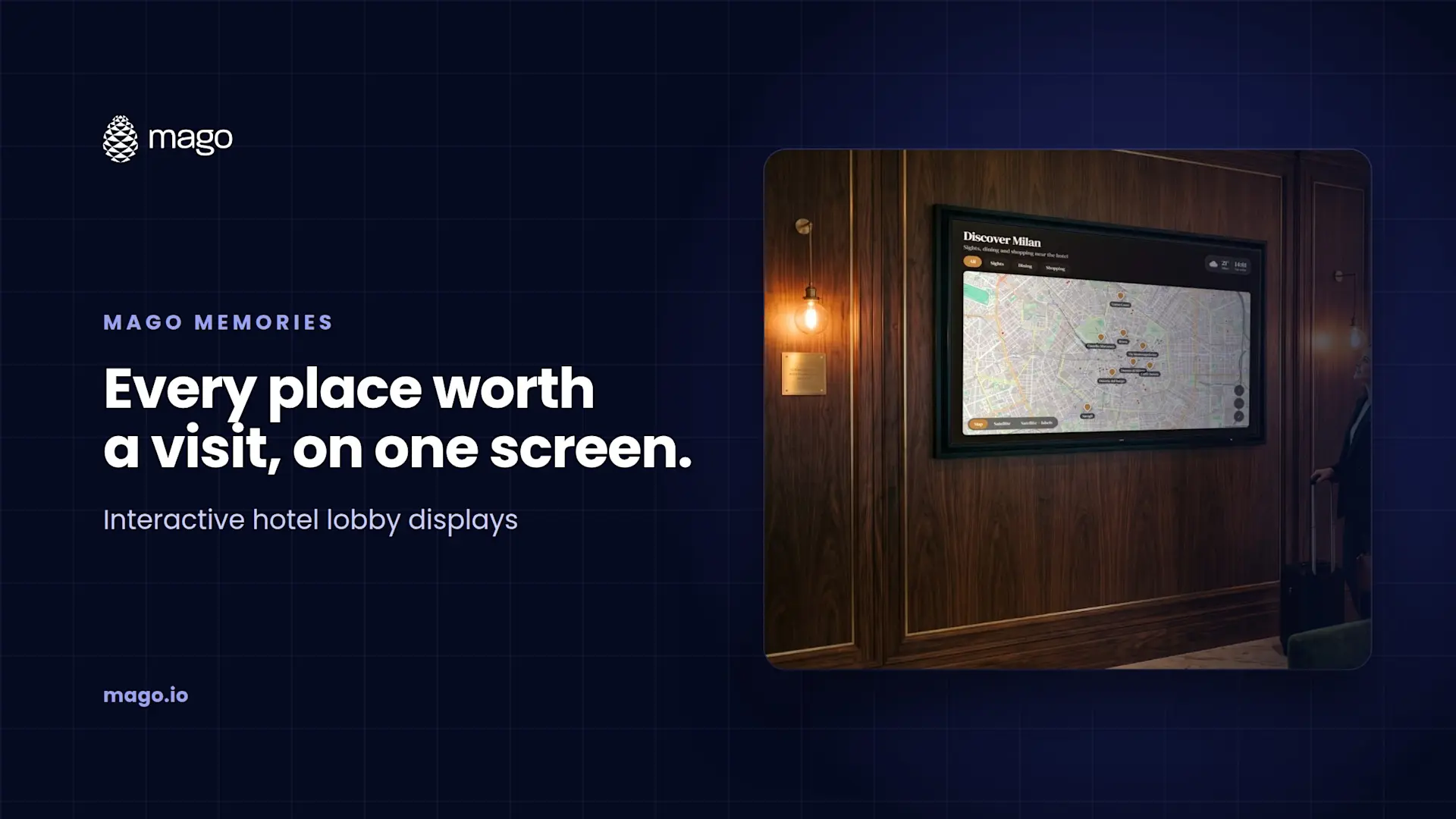
Interactive Hotel Lobby Displays: Maps, Places and Guest Information

An interactive hotel lobby display is a touchscreen where guests explore the sights, restaurants and shops around the hotel on a map, check the day's events, browse hotel services and see the weather, then scan a QR code to take any of it with them. Mago Memories builds this from an interactive map, content pages and a live agenda, and keeps it current on its own.
The questions at the front desk are the same every day: where to eat, how far the museum is, what time the event starts. A well-designed lobby screen answers them before guests reach the desk, in a way that feels like part of the hotel rather than a brochure rack.
What should a hotel lobby screen show?
- A map of the neighborhood: sights, dining and shopping, each pin opening its own card.
- Hotel services: spa, restaurant, meeting rooms and opening hours as content pages with photos or film.
- Today's agenda: events and activities pulled from a calendar.
- The weather: always up to date on the home screen.
- The hotel's own story: history, people or sister properties, for brands with a story to tell.
How does the interactive map work?
Guests pan, zoom and filter by category, such as Sights, Dining and Shopping, and tap a pin to open its card with photos, films and links. The map can switch between street, satellite and hybrid views with a smooth crossfade, from a city block to the whole world. On an ultra-wide LED wall, the map frames every pin by itself. A QR code on the card sends the place to the guest's phone.
Can it show today's events?
Yes. Mago Memories can show the next days of a Google Calendar or any .ics link, refreshed every few minutes, so the events team updates the calendar they already use and the screen follows. YouTube films, Google Slides decks and PDF pages can also play on the screen.
How does the screen change through the day?
- Time of day: dawn, day, afternoon and night looks, each with its own brightness and tint, switching on their own.
- Scheduled playlists: a breakfast version in the morning, an evening version after six, a holiday version in December.
- Attract screen: photos or films with a "tap to interact" prompt, returning to it after a few idle minutes.
Where else does an info point fit?
The same setup works at any info point: a corporate campus reception with a map of buildings and offices, a visitor center with routes and points of interest, or a headquarters lobby showing offices and partners around the world.
What does a hotel need to run it?
A screen of any size or shape and a modern browser on a PC, mini PC, Android device, ChromeOS device, iPad or Linux box. Kiosk mode keeps it full screen and locked, with a technician menu behind a PIN, and it keeps playing offline once loaded. The cloud plan is $9 per display per month, with a 15-day free trial.
Frequently asked questions
Can guests take directions or details to their phone?
Yes. Cards can carry QR codes for links and documents, so guests continue on their phone with no app to install.
Can the screen show live web content?
Yes. Any web page or web app that allows embedding opens live inside a card. When a site does not allow it, visitors get a QR code instead.
Can the content change automatically?
Yes. Scheduled playlists switch content by date, weekday and hour, and time-of-day looks change on their own.
Does it work on a portrait kiosk?
Yes. Portrait 9:16 totems and kiosks are supported, and layouts adapt to the screen.
Want to see your neighborhood on a lobby screen? Book a demo and we will show you an interactive map built for your property. New to the product? Start with what Mago Memories is.