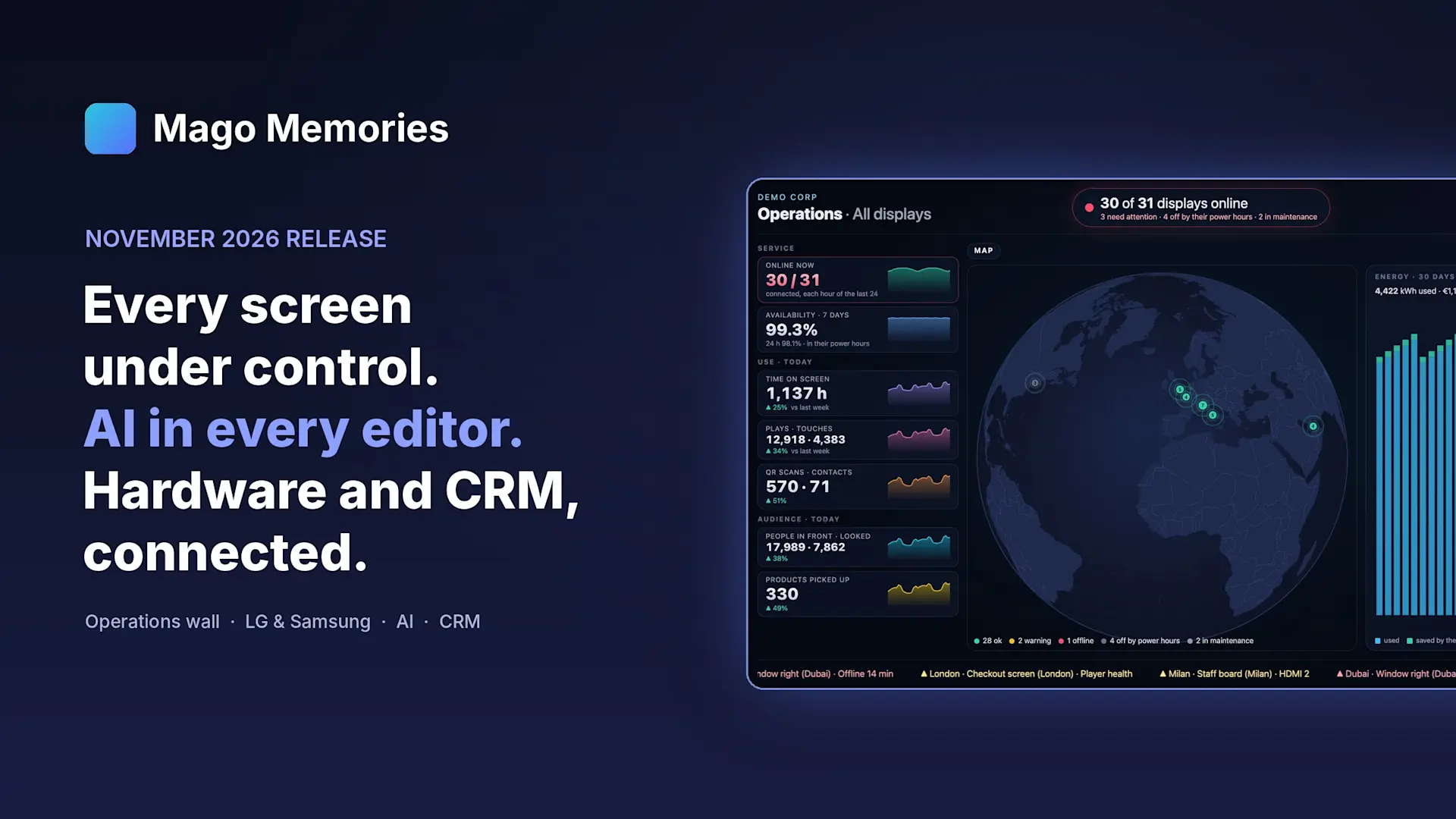
Mago Memories November 2026 Release: Operations, Hardware Control, AI and CRM

The November 2026 release of Mago Memories turns interactive signage software into a platform for running a whole display network. It adds an Operations console and a full-screen Operations wall for the control room, groups and policies at scale, direct control of LG webOS and Samsung panels, an AI Assistant in every editor with your choice of AI, guided product pick-up, and QR-code leads sent straight to Salesforce and HubSpot.
Until now, most of the conversation around Mago Memories has been about the story on the screen. This release is about everything around it: knowing which screens are healthy, managing hundreds of displays like ten, controlling the hardware itself, and turning the attention a screen earns into leads and insight.
What is new in the November release?
- Operations: a console, an inventory and an LED-wall view for the operations room.
- Fleet: groups, tags, policies and player health at scale.
- Hardware: LG webOS and Samsung panels read and driven from the CMS.
- AI Assistant: plain-word requests in every editor, with your choice of AI.
- Engagement: guided product pick-up, touchless control and heatmaps.
- CRM: QR-code contacts sent straight into Salesforce and HubSpot.
- On-premises: self-hosted servers that update and roll back by themselves.
- And more: live streams, Moments, your own fonts and Mago Stage integration.
How do you know the state of every screen?
The new Operations page is built for the people who run the network. Every display gets a tile with its latest screenshot, what it is playing, its monitor and a clear state: online, needs attention, off by its power hours, in maintenance or offline. Tabs keep your own views by location, by maker or only the problems.
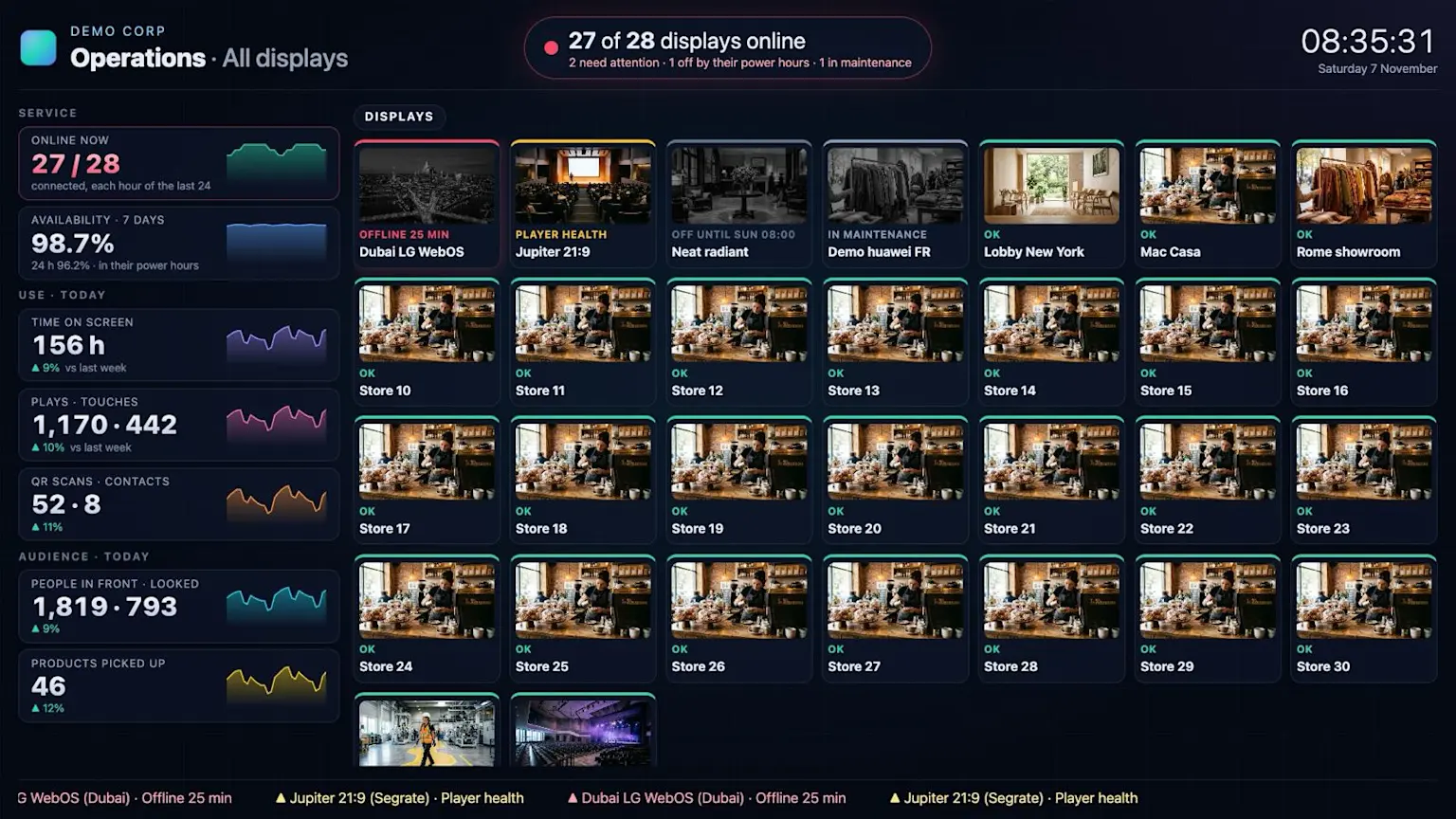
- Automatic screenshots every 15, 30, 60 or 120 minutes, as a policy says, so you see what each screen really shows without going there.
- Inventory: a row per display with maker, model, serial number, firmware, format, player and policy. Search any field and export to CSV or PDF for an asset register without spreadsheets.
- Service: the live map, connections, time on screen and monitor energy, kept apart from audience analytics.
- Maintenance switch: hide displays under maintenance so the page shows only what needs you.
The result is fewer site visits and problems seen before customers notice them.
What is the Operations wall?
The Operations wall is a dark, full-screen view for an LED wall or a TV in the control room, opened by a protected link without signing in. Key figures stay on the left, and the rest of the wall rotates through scenes like signage: a globe with every display in its place, all displays, groups and large trend charts.
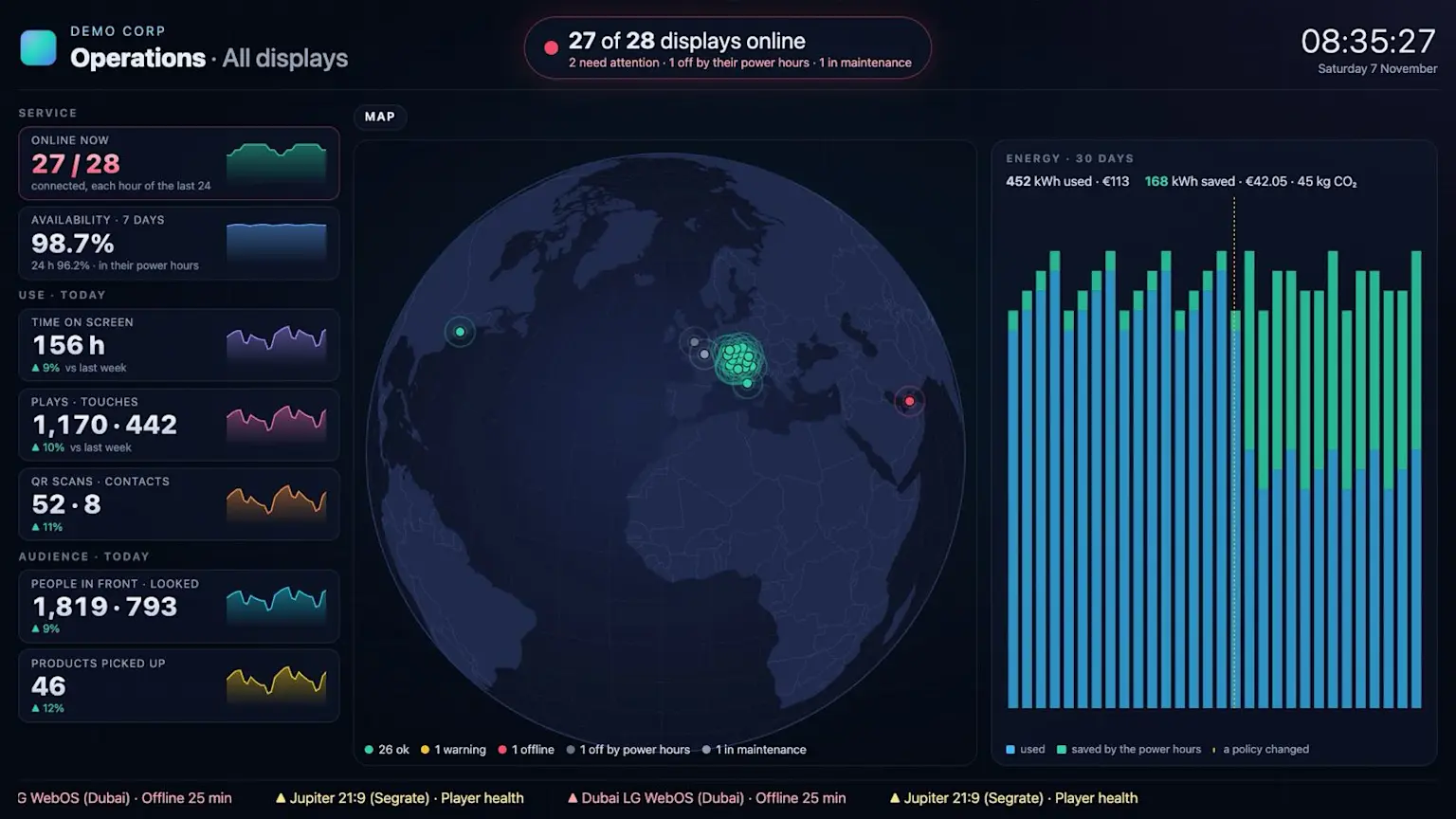
- Key figures with their trend: displays online, availability within power hours, time on screen, plays and touches, QR scans and contacts, people in front and products picked up, compared with last week.
- Energy that proves savings: kWh, cost and CO2 used and saved over 30 days, with policy changes marked, so the effect of switching screens off at night is visible.
- Protected wall links: 1 to 10 screens, allowed networks and an expiry date, with regenerate or revoke at any time. Your logo sits in the corner, and 16:9, ultra-wide and portrait walls are supported.
How do you manage a growing display network?
Structure the network once and let every display inherit what it needs, from ten screens in one building to hundreds across countries.
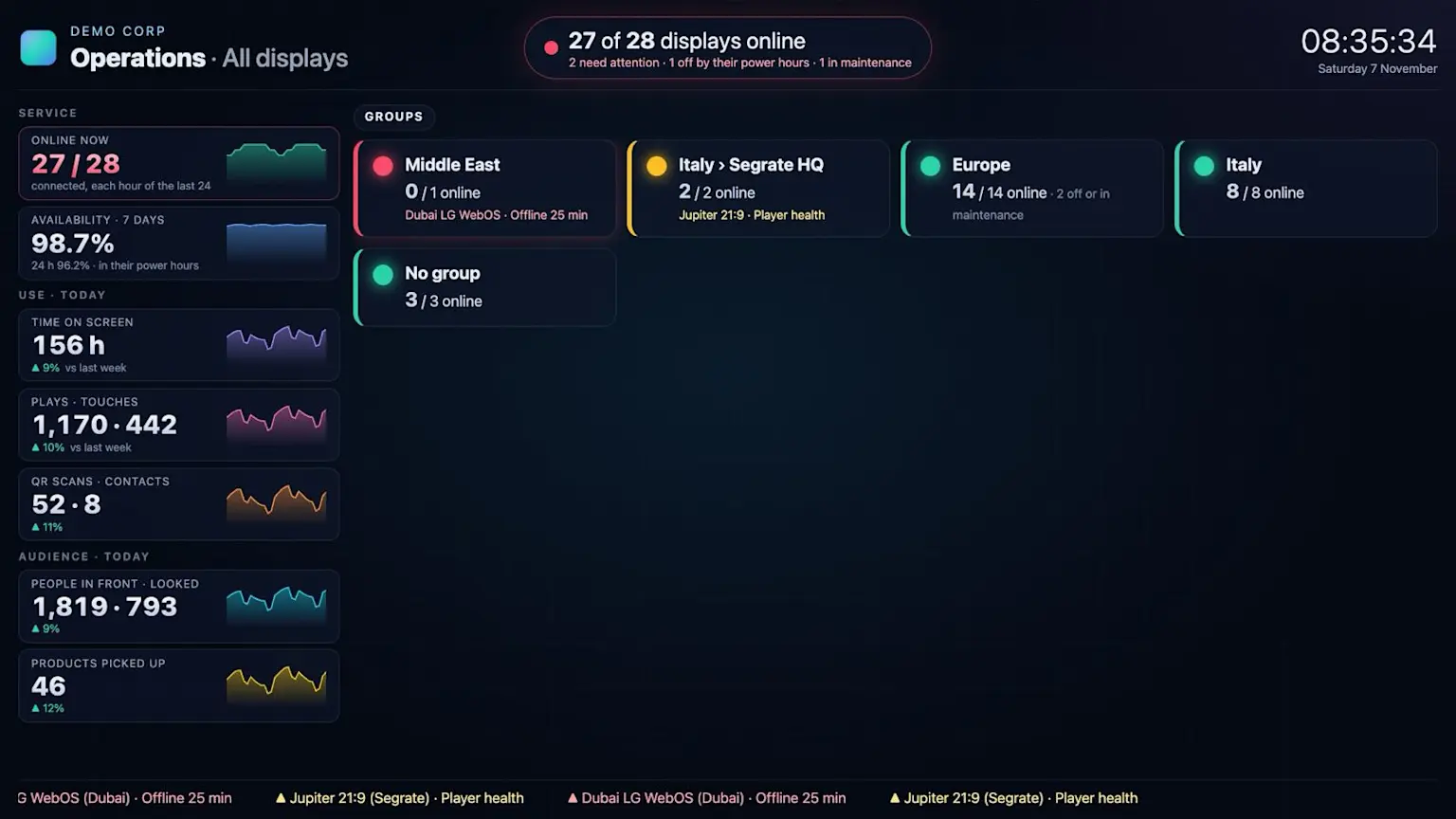
- Groups inside groups: country, site and floor. A group passes its policy, content, format, time zone and location to its displays, probes and hardware, and each display can still keep its own value.
- Tags such as Lobby, 4K or Floor 2 to find and filter displays in a moment.
- Policies: power hours, kiosk mode with a technician PIN, sound, checks and screenshot frequency, set once for many displays.
- Player health every 5 minutes: version, memory, cache, frame rate and errors, flagged before they become a black screen.
- Remote actions: reload the player, take a screenshot on request, or open a live view of the screen for 5 minutes.
- Player as an app: installed from Chrome, the player opens full screen from its icon, and kiosk full screen now survives every reload.
- A time zone per display for playlists, schedules and day phases.
Can Mago Memories control the screens themselves?
Yes. Mago Memories now talks to the monitors, so the CMS shows whether a panel is healthy and lets you act on it from anywhere. Content and hardware live in one tool.
- LG webOS Signage: the Mago player runs on the panel and reads and drives it through LG's own interface, with no extra box and no extra software. It reports model, serial number, firmware, power, inputs, volume, temperature, fans, CPU, memory, network and timers, and it can switch input, set volume and mute, turn the screen on and off, restart or power off. LG panels also get policies for a daily restart and an input that shows by itself when a source is connected.
- Samsung: on a self-hosted Mago server, Samsung monitors on the same network are read and driven over MDC for input, power and energy. Samsung VXT Remote Management support is built and will be switched on once Samsung confirms.
- BrightSign: smoother playback of videos, background videos and live pictures, and model, serial number and firmware shown in the inventory.
What can the AI Assistant do?
Every editor now has a request box. Describe what you want in plain words and the AI Assistant changes the home and its layout, the attract screen, any scene or a signage sequence, then shows you the result to apply or discard.
- Finds its own sources: it searches the web and the official site, and returns photos, videos and YouTube films as results to choose from.
- Keeps working when you leave the editor, and the story's tile shows it is at work.
- Create with AI from a company name, or from an existing website (HTML or ZIP) and your brand guidelines (PDF) for colors, typeface, logo rules and tone of voice.
- Signage sequences: it adds, changes, reorders and removes slides.
- AI image editor on every image field, with manual tools or a prompt.
- Maps: pins styled on request, and pins imported from a CSV, JSON or GeoJSON store list.
Every new trial includes 5 AI creations with Claude Haiku 5.5. If you want to see the story builder in action, read how to create an interactive signage story with AI.
Which AI services can you use?
Customers connect the AI services they already use. Keys are stored encrypted and never shown again, and usage is billed by the provider to the customer's own account, so costs stay transparent.
- Claude (Anthropic): researches the company and builds the draft story, with Opus, Sonnet or Haiku. A story costs about $2 with Opus 5.5 and about $1 with Sonnet 5.5, and Haiku 5.5 is the lowest-cost option.
- Google Gemini: creates images where the website has no suitable photo, short videos for the attract screen, and edits pictures by prompt.
- Microsoft Copilot: available since October 15. Your Copilot Studio agent builds the draft story from a chat through the Mago Memories connector (MCP), and usage counts on your Copilot plan.
- xAI Grok is on the roadmap. Any assistant that supports MCP connectors can already use Mago Memories.
This matters because many large companies allow only one AI provider. Mago Memories works with the one IT has approved, and customer content goes only to that provider.
How do displays turn attention into interaction?
The cameras already in your displays, or a small probe next to a product, now trigger content, count people and show what they looked at.
- Guided product pick-up: a step-by-step window sets which camera watches (the display's own or an external probe), the product and its area, what plays and on which displays, so a product lifted from a plinth plays its content on screen. One camera can watch several products, each in its own area.
- Probes: a small computer next to the products. On a Mac or Windows 11 PC it can also use a security camera or an NVR channel over RTSP.
- Passages: count the people who pass through a door or an area.
- Look to tap: on displays without touch, a visitor raises an open hand to take control, points by looking and taps by holding the look.
- Where they looked: heatmaps of each scene, and Compare versions side by side to A/B test content.
- Up to 4 cameras per display along a long wall, and shelves or shop windows measured without a screen.
This is retail-grade interaction that can be set up without a technician.
How do QR-code contacts reach Salesforce and HubSpot?
The contacts visitors leave through your QR codes now become Leads in Salesforce or Contacts in HubSpot, updated when the email already exists, along with what they asked for, the story and the display. They are sent at the same moment your sales team gets the email: at once, or once the visitor has confirmed the address. The customer's admin connects each CRM with the company's own credentials.
In practice, every lobby or showroom visit can become a lead your sales team can act on.
What is new for self-hosted and enterprise IT?
- Self-hosted updates: check for a new version when you choose, install it with a verified copy of the database, and roll back automatically if it does not start. Servers without internet install a signed update package.
- Sizing guide: CPU, memory, disk and network by number of displays, with a lighter server after load testing.
- Privacy and compliance: a new Knowledge base chapter on GDPR and the EU AI Act, covering who is responsible and where data is kept.
- Housekeeping: duplicate uploads stored once, a Remove duplicates action, unused files found and deleted together, and backups with an index to restore everything or only the stories.
What else is new in the stories?
- Live streams over the attract screen, in a corner or full screen, and a live camera on the Cameras scene's button.
- Moments, the new name for Media collage, with a tutorial on first use.
- Your own website inside a content page, from a ZIP.
- Your own fonts in Theme and brand.
- Mago Stage integration: Stage users link their Mago Memories account and play its published stories on Stage's remote screen and displays, mirrored touch by touch in both directions.
What shipped just before this release?
Since October, Mago Memories also offers a Power BI data feed with CSV exports for your own reports, and the Microsoft Copilot connector, available since October 15.
Frequently asked questions
Which features are part of the Enterprise edition?
The Operations console and wall, policies, live view, the LG webOS and Samsung integrations, guided product pick-up, touchless control and audience analytics, the Salesforce and HubSpot connections and self-hosted updates are part of the Enterprise edition.
Does LG webOS control need extra hardware?
No. The Mago player runs on the LG panel and drives it through LG's own interface, with no extra box or software.
When is Samsung VXT Remote Management available?
It is built and will be switched on once Samsung confirms. Samsung MDC control is available today on self-hosted Mago servers.
Do we have to use Claude for the AI Assistant?
No. You can use Claude or Google Gemini with your own keys, or Microsoft Copilot through the Mago Memories connector.
Who pays for AI usage?
Usage is billed by the AI provider directly to your own account, and the console shows what each choice costs.
Want to see the Operations wall and the AI Assistant on your own displays? Book a demo and we will walk you through the November release. New to the product? Start with what Mago Memories is.