Seven Rooms Where Mago Stage Fits

Multi-display presentation software fits any room where more than one screen has to tell one story. Mago Stage is built for control rooms, car showrooms, lecture halls, real estate lounges, engineering training rooms, remote maintenance centres and oil and gas operations, as well as briefing centres, meeting rooms, events and hospitality.
Each of these rooms has its own film on the Mago Stage product page. Here is what is on the wall in each one, and why it works.
1. Control rooms
Live map, CCTV, drones, dashcams and body cams on one operations wall, all from the same console. The map sits in a tall portrait area with the feeds around it, and drone and smart-glasses streams appear as tiles. Read the full guide to control room video wall software.
2. Automotive and retail
A private showroom where the customer configures the car on the wall and sees it life size. The configurator runs on the wall, driven from a tablet, then mixed reality brings the car into the room at full size. Read more on interactive showroom software.
3. Town halls and smart education
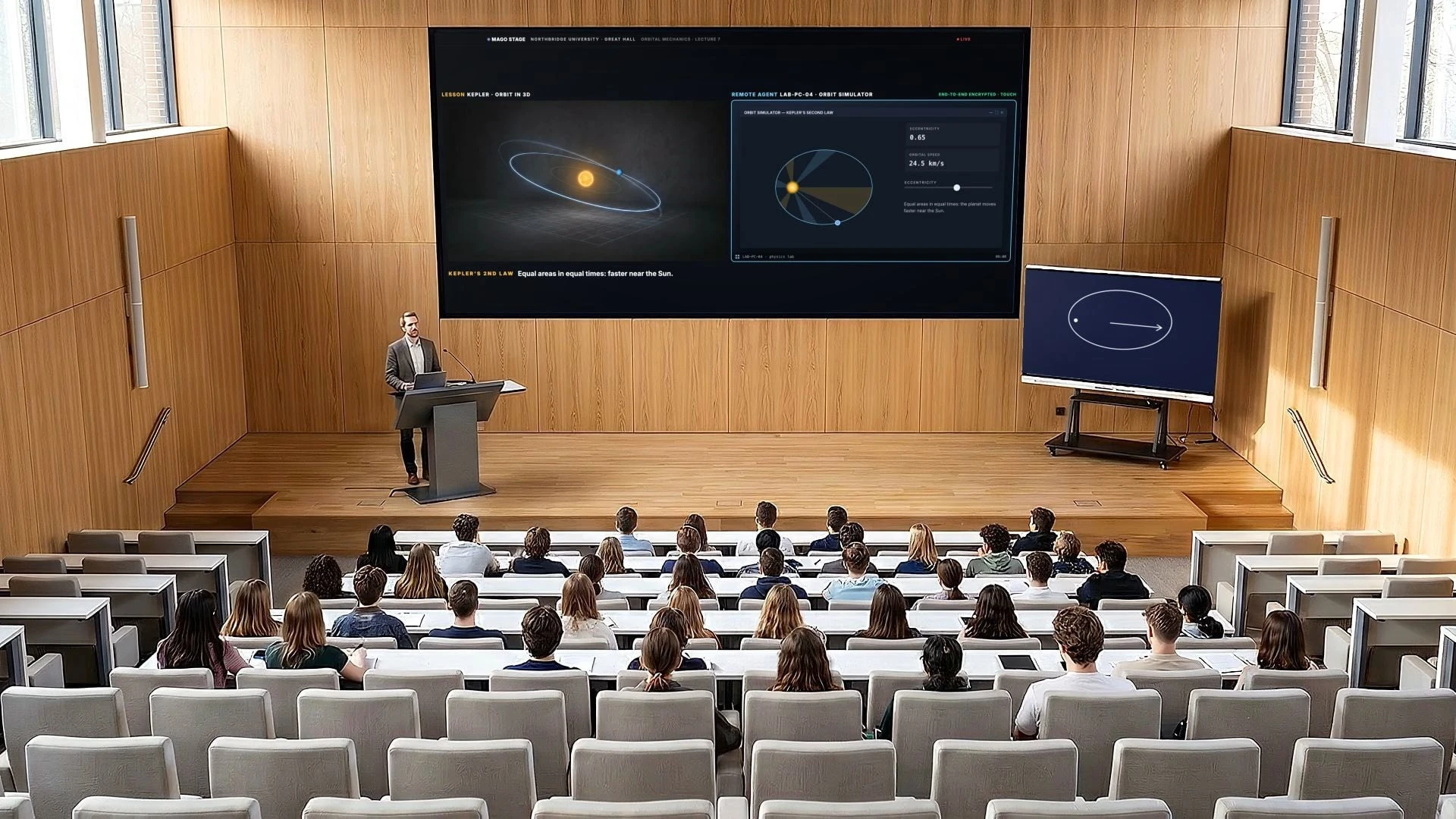
A lecture hall run from one tablet. The lesson, the lab PC and the remote students share the same wall.
- One touch on the podium and the lesson is on the wall
- The lab PC appears next to the lesson through the Remote Agent
- Remote students join in the built-in videocall, never over the content
4. Real estate
Video, photos, 3D and a video call on one wall, to walk a client through a property miles away. The listing is on the wall, steered from a touch table in the room, while the buyer joins from anywhere through the built-in videocall.
5. Engineering
Engine training from the hangar to every connected classroom, with the manual beside the live picture. Photos, video and 3D engines go full screen or side by side. The instructor annotates from the podium, live on the wall, and every connected classroom joins in the videocall.
6. Remote maintenance
A remote site, brought back to the control room without the trip. The site cameras sit next to the map, you take control of the remote PC with mouse, keyboard and touch, and you can restart it from the control room as if you were on site. See how to show legacy software on a video wall.
7. Oil and gas
A desert pipeline and an offshore platform on one operations wall: the map, the cameras and the station controls through the Remote Agent, with the crew's drone tablet in the mix. Field crew and experts join through the videocall.
What about briefing centres, meeting rooms and events?
Mago Stage also fits executive briefing centres, where visitors take part in a presentation instead of watching a slide deck, as well as meeting rooms, events, hospitality, training rooms and shared spaces.
What do these rooms have in common?
- More than one screen, and more than one kind of content
- A presenter or operator who needs to change what is on screen quickly
- People who are not in the room and still need to be part of it
- Software that has to run on the displays and players already installed
Frequently asked questions
What is multi-display presentation software used for?
It is used wherever several screens must show related content at the same time, such as operations rooms, showrooms, classrooms, sales lounges and briefing centres.
Can I use Mago Stage in a small meeting room?
Yes. The Basic edition runs on one Windows 11 PC and supports up to 3 displays.
Can remote people take part?
Yes. The built-in videocall puts remote guests on the wall next to the content.
Which room is yours? Book a demo and we will show you Mago Stage in your own space. New to the category? Start with what Mago Stage is.